
I am pleased to be here writing my first ‘official’ ProspectMX blog post on a subject that I truly love – Twitter!

If you’re not quite sure what I’m talking about, maybe we should start with a brief explanation. Twitter is a ‘Micro-Blogging’ / Social Media, kinda thing. You can follow people that interest you… and “Tweeple” can follow you. I know that’s a pretty basic explanation… but I have lots to cover so moving along. 

I’ve been using Twitter since March of ‘07. Now that the company is on the radar, and even CNN & Fox News have been quoting their twitter streams on live newscasts, I think it’s time for the average everyday SEO Joe to make sure that your clients / customers are efficently using this FREE service.  So where to start?

  • TweetheadPick a memorable username (maybe the name of your company?)
  • Spend 10 minutes making a custom background
  • Check out Twellow – align yourself w/ ppl that interest you
  • Speak your mind (be transparent!)
  • Do get a TwitPic account (Uber Cool)
  • Don’t become a Tweethead! – it’s okay to go offline from time to time.


Okay now why pick a memorable username? Well for 1 – branding. @neoblog is much easier to remember than @h4X0r (maybe a bad example, but just like when you decide on a domain name your twitter username should be brandable and easy to remember).

A standard background makes you stand out about as much as the rest of the flock… @jimkrukal has some custom twitter templates where you can set your background up like a business card.  

Twell0w – in 3 words - Twitter Yellow Pages. Mike McDonald visited us on SEO 101 to talk about Twellow in greater detail… point is this is something that you’re going to want to use in my little tutorial “How to Become a Twitter Rockstar.”  So keep that URL handy.

Speak Your Mind – I can’t stress this more. This is probably the most important part of being a real “twitizen.” If you’re helping a client w/ social media and you’re just there to push your products… or you are a self-proclaimed ‘Guru’ or ‘Expert,’ and all you use your twitter account for is pushing your product… well then – YOU SUCK!

Seriously, if all you ever do is Tweet about how awesome you are… and how you are doing all this cool stuff and drop me URL after URL and tell me how I can buy your regurgitated ebook for 20% off – EPIC FAIL, you get unfollowed. Now on the other hand, if you are genuine… speak your mind, laugh when you want, make fun of yourself, share parts of your life (the good & the bad) then you are real. Be yourself, be real, be social.

TwitPic – Okay, I probably twitpic too much (some will say) but the great thing about twitpic is you can sign up for free… and get an email addy for your account. Here’s how you use it – attach that email created for you in the settings tab of TwitPic to your cellphone. Now my LG VU has a 1.3 megapixel camera on the back. When you are out and about, w/ 3 clicks I can – Shoot the pic – Choose TwitPic – Publish the pic. All in the span of about 20 seconds! Being able to take a picture at the top of Mt.Rushmore and sending that pic out to everyone that follows me on twitter… Priceless (no more waiting till you get home to a PC to pull out the card, edit the pics, publish to flickr, or your server – how ever you do it).

TweetHead? – Yeah it can happen to the best of us… Twitter is addicting, it can keep you up at night because you want to know what’s going to happen next. You will probably want to take a look at a few of the AWESOME Twitter tools out there. Here’s my personal faves:

  • Twhirl (Adobe GUI for twitter) A+
  • TweetStats (These guys Rock so hard!) A+
  • Grader (This is just fun) btw my grade is a 95 as of this post. 
  • Zi.ma (URL shortener from @martinbowling) A+

There are literally hundreds more. For the sake of this turning into a blog post instead of a dissertation, I’ll try and wrap it up. How do I use all of this to become a Twitter Rockstar?

Step 1.) Register. Spend 10 min’s making a custom background. FILL OUT YOUR PROFILE! The idea here is to get others to follow you… if you don’t look interesting why would anyone follow you? Put a link to your blog, to your flickr stream, something interesting. 

Step 2.) Open up Firefox (if you don’t have firefox… GET IT already, geesh). Go here and grab Greasemonkey - do the standard FF plugin install. Then head over to this page and grab a schweeeeet Greasemonkey script for Twitter. *Click on the link in the middle of the page that says “adding and managing your twitter friends.”

Step 3.) Go to Twellow and do a search… If you’re a designer, I’d search for ‘Design‘ and then take a look at how many Followers the top user(s) have. Click on the twitter profile link for one of them and check them out. Now if you like them… and some of the stuff in their thread, then simply click on their ‘Following’ (*remember we want to follow the people that the ______rockstar is following). Now you’ll notice a button on their list of people they follow that says “Add All Followers.” Click it, sit back and watch your following count go up.

But Dave, I can’t follow all of these people, it’s so confusing! This is why we use Twhirl. You can click on the @ button to see anything directly said to you… (it helps to drown out some of the noise on twitter). Also IMPORTANT – ***DO NOT OVER FOLLOW***! I wouldn’t follow more than 1,200 people in 24 hrs. Follow 2k and you will be banned as a spammer.

Ok, now what? Well pretty simple really. Just sit back, relax… tweet some, but don’t do anything major for another 72 hours.  Don’t repeat the process – because we’re not finished yet. Alright, 72 hours has come and gone. Now you have quite a few new followers.
Small Twitter GIFStep 4.) Go to your own profile and click on your “Following” link – you will notice some buttons across the top of your page – Cancel | Drop All Non-Mutuals | Show Mutual Status. So go ahead… drop all of the tweeps that aren’t following you back. Wait a few weeks to a month and repeat the process. I personally have done this twice…

The first time I had 200+ followers and was following 60ish so I had a 60/200 ratio (that’s a good spot to be in… but still pretty weak) So I followed my co-host who’s been pushing her twitter acct to the MAX for a long time… @cshel. Now a lot of her tweeps followed me back – I’m assuming cause they listen to the show or just didn’t know what my twitter acct was. Either way, it raised me from a 60/200 to a 322/544. Pretty freakin schweet if you ask me! Now I did this about 3 months ago. I just rinsed and repeated 48 hrs ago. (if you’re following along that means I’m going to be dropping ppl soon).

First, I like Martin Bowling and what he has to say on Twitter, so I went and followed the people he follows. At the start of this I was @ 322/544 and here 48 hours later I’m at 958/684. That’s not huge, but I expect the number to grow in the next few days. Plus, I’ve met a TON of kewl tweeps ;)

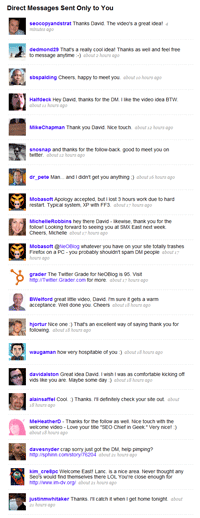
As if this post wasn’t long enough, I wanted to share one more thing that I tried this time. In an effort to reduce rescission, I made a quick video, put it on it’s very own page on my blog, and made a welcome message. Every time someone new follows me I get an email (well 140 new emails of new people following me) so I copied and pasted this to everyone that followed me -

 Thanks for the follow! I made you a 30 second Twitter Welcome Video – http://neo1seo.com/tweeple Thanks again…David Brown

Here’s the result of that little test… 99% positive response, 1 neg (sorry, I think my lifecasting locked up an olderish PC). So now that you’ve made it all the way through that post, I’d be interested to see if you have any other tips, tricks, or questions for us? Our entire office is now embracing Twitter… we love it, it’s fun, social, and great for networking!

51 Responses to “How To Become A Twitter Rockstar – Sort Of”

  1. iThinkMedia 02. Oct, 2008 at 3:04 pm #

    Great article, I’ve linked to it in our TwitterPassion.com link database. Wanted to also let the readers know I’ve got some free twitter backgrounds available on the site if they are interested. They offer a nice change from Jim’s backgrounds and are free to customize and use.

  2. J. Bentz 03. Oct, 2008 at 9:55 am #

    so setting up your logo to tile across your twitter background isn’t cool? hmm… might have to re-evaluate my twitter style.

  3. Bloggeries 03. Oct, 2008 at 4:06 pm #

    Pretty solid advice. If you want to be genuine and authentically you get a photo of yourself. Nothing says impersonal like a company logo or some random totally unrelated image.

    Thanks for the read and keep on tweeting ;)

    @bloggeries

  4. Rohan Thomas 05. Oct, 2008 at 9:52 pm #

    Hi David, Good post!
    Just to add some of my thoughts – http://blogs.msdn.com/rohant/archive/2008/09/23/who-do-you-follow.aspx

  5. Joel 06. Oct, 2008 at 4:43 pm #

    Sounds great, but I cant’t find the “Add All Followers” button.

  6. Internet Marketing Joy 06. Oct, 2008 at 6:09 pm #

    hahaha..this is a fun read..^^ I have to admit..I’m also a Tweethead before..^^

  7. Joel 07. Oct, 2008 at 10:36 am #

    Cancel my last comment. I didn’t realise it was the greasemonkey script. This is the most osom ever, ever, ever, ever, ever article on twitter. You should have put this into an ebook and sold it for $100!!!!!

  8. David Brown 09. Oct, 2008 at 3:50 pm #

    @Joel glad you liked it… I have more twitter goodness coming ;) stay tuned!

  9. Mike Logan 17. Oct, 2008 at 6:42 am #

    Hi Dave,

    Thanks for the heads up. Even an older guy with a medium old computer can handle this. Mike Logan

  10. Simon Salt 20. Oct, 2008 at 11:18 am #

    David, great post, this is probably the most definitive “How-to” I have read, and it isn’t just for people new to Twitter, I have been using it for some months and picked up tips from this article. Once you have taken these steps come on over to http://tinyurl.com/6d967c and see how to improve your twitter gradings.

  11. Tomas Nihlén 20. Oct, 2008 at 4:43 pm #

    An alternative to Firefox is the übercool browser Flock, with Twitter integrated right in the “People sidebar”. Another must have is TweetDeck so that you can order everything in neat columns.

    Except for those two additions – great post! :)

  12. David Brown 20. Oct, 2008 at 6:41 pm #

    @MikeLogan Glad you can handle it in your ripe old age :) I tried to lay it out as easy as I could…

    @SimonSalt Great info and I’ll be using your post in an upcoming pay it forward post!

    DB

  13. Joan 20. Oct, 2008 at 11:43 pm #

    A very helpful post! You’ve captured the essence of Twitter and provided great recommendations. I’m going to use them! Thanks.

  14. Monica Wright 21. Oct, 2008 at 2:14 pm #

    Excellent post sir. And yes I follow you because you follow kewl tweeps too. the custom twitter templates look great, and am excited to get that done as well. One desktop to feed the addiction that is way, way better than twhirl is Tweetdeck. You can look at replies and DMs in a column format, and group different people in different columns if you have multiple conversations going on. Of course, this can get _really_ addicting. I’ve met a lot of smart and generous people through twitter. It’s a powerful, easy-to-use tool.

  15. David Brown 21. Oct, 2008 at 3:16 pm #

    @Joan you freaked me out a bit there… I thought my Mom tracked me down on a blog… (it’s one of the signs of the end of times) *great name btw!

    Glad you enjoyed the thread… I’m working on another one that will tie into Kenny Hyders twitter algo research to see what else we can do w/ this fun little time waster…er I mean Useful Social Media outlet, Web2.0 and stuff!

  16. Joan 22. Oct, 2008 at 4:26 pm #

    @David. Don’t know what I did to freak you out. Guess you’re saying I’m old. Don’t know. But be careful of making assumptions…

  17. Iron condor Trading 24. Oct, 2008 at 2:08 pm #

    Incredible post on twitter. I still don’t understand why get Firefox and grease monkey utility. At least i would follow you on twitter..

  18. David Brown 25. Oct, 2008 at 3:29 pm #

    @Joan… NO not thinking you were old ;) my Mom’s name is Joan… so my heart rate went up a bit…(never know if Mom is gonna embarrass you in public… no less on a blog!)

    Guess I should have explained that better! You have great name! and nice to pseudo meet ya ;)

    db

  19. Dantanner 25. Oct, 2008 at 4:34 pm #

    How do you install various scripts? Where do you install these scripts? All of that completely omitted and held back to make the general populace twitch and roll.

    If you are going to write a post for general population than write from the perspective of the end users.

    I can bet you 90% readers can’t go past step 2 above!

    Another stupid fact is this site has no contact information, how do you contact the owner of this brilliant post?

    http://www.twitter/DanTanner

  20. Joan 25. Oct, 2008 at 7:13 pm #

    Thanks for the follow up, David. I appreciate it. I can understand why you were freaked out. I really did like your Twitter posting and look forward to reading more. Have a great weekend! (Sorry if I overreacted. It was a stressful week.)

  21. Arleen Anderson 28. Oct, 2008 at 2:51 pm #

    Came for the G1 review and saw the rockstar blog. Joined Twitter less than 2 weeks ago. Looked at it 1 1/2 yrs. ago and wrote it off as a place of gossip. Reviewed early summer and saw “in your face” marketing – YUCK! Hooked up with PodCamp Hawaii and saw how Roxanne Darling & others used it in a valuable way – I’m in! Rockstar? Have 450+ foloowers and a grade of 96. Using NO apps. Don’t know what I’m doing – but I will analyze and share the results.

    Your blog is now added to my favorites!
    Aloha,
    Arleen
    http://www.twitter.com/AlohaArleen

  22. Lakshman 29. Oct, 2008 at 2:30 am #

    My twitter grade is 96 and I dont seem to follow many of your suggestions. I ve a default background, dont hv a twitpic account and dont use twhirl

    http://twitter.com/scorpion032

  23. AKdude 01. Nov, 2008 at 12:13 pm #

    Awesome Article! I learned more reading this article than a lot of the ebooks out there. Being fairly new to Twitter I have a few things to look into.

    BTW, I found you through Twitter. You have a new follower and a fan.

    Thanks,

    Shane (aka AKdude)
    http://twitter.com/AKdude

  24. TheDailyBlonde 06. Nov, 2008 at 2:42 am #

    GREAT post….and ebook gurus beware. It’s SO annoying to see you post over and over again how rich you are with your ebook. Gag.

    @thedailyblonde

  25. Iron condor Trading 11. Nov, 2008 at 11:06 pm #

    That was a nice long trip we are having. I am enjoying twitter thanks to you and following you .

    Once in while someone like you comes along and writes a post of this magnitude. This is not easy, because whatever edge people have they keep it to themselves. In this case you have shared with us and that is a great gift to human beings

    Yours truly,
    http://www.twitter.com/dantanner

  26. BrokenDoll 26. Nov, 2008 at 4:01 pm #

    Thank you for the informative information. I had no clue about a couple of those sites. I look forward to implementing them into my tweeting. Thanks again!

  27. Daniel Hall 28. Nov, 2008 at 12:39 pm #

    This is cool, lots more things to play around with. so glad there the tools to make twitter nice and flexible

  28. Brian R. Robinson 08. Dec, 2008 at 12:18 am #

    I implemented the welcome video with an auto-responder as well, and I’ve had similarly successful results. However there have been a few dissenters, one of which is a fairly influential person on Twitter. I wrote up my experiences regarding this here: http://robinsontechnology.com/blog/2008/12/07/twitter-spam-or-welcome-innovation/

    I would love to hear more feedback on the issue.

    Thanks,
    -Brian

  29. Dan Keldsen 16. Dec, 2008 at 10:54 pm #

    Well done run-thru.

    Standing out, whether via avatar (I’m sideways, always gets a chuckle – well, FREQUENTLY gets a chuckle…), background, commentary, pointers, etc., all good ideas.

    Auto-responding, works like a charm. Some people despise it – but if you’re reaching out rather than PUSHING (spammy), then what harm can it do?

    I like your video welcome idea – and making it brief is certainly appreciated. :)

    I still don’t know quite what it means, but Twitter Grader gives me a 99.5 out of 100. Is the inverse of that the “Need To Sleep More Grader?”

    Personally, I believe in a healthy and diverse network, whether on Twitter or elsewhere. So, if people want to hear about innovation, search, usability, marketing, life as a startup, Boston news, music, etc. – well, I’d be happy to see you in my Twitter stream!

    Last note – Twhirl is a fine Twitter client, although for tracking conversations, live search, etc., I’d recommend Tweetdeck. Awfully handy – although sometimes it complicates the Twitter experience. Your mileage may vary, but worth experimenting, particularly as you begin to follow large numbers, or track memes.

    Cheers,
    Dan

  30. Nile 30. Dec, 2008 at 7:44 pm #

    Very helpful article. Thank you. Oh, and the video welcome you have is a great touch! Now to get me to clean up a bit more and trying that… (will give credit for the idea) :)

  31. Amy Wing 01. Jan, 2009 at 4:26 pm #

    Great article – thanks so much! Learned a lot and signed up for some new services that I’ve been looking for/wondering about.

  32. Wendy Merritt 03. Jan, 2009 at 6:04 am #

    Very exciting! Thanks for sharing such terrific services. I changed my delay to 30 seconds to avoid suspicious activity. I look forward to meeting new people in my niche.

    Just wonderful!

    blessings,
    Wendy

  33. Jason Peck 11. Jan, 2009 at 2:55 pm #

    hi, i’m following you on twitter…

    i’m cornfuzed: i cannot find the Add All Followers button. also, why would i want to follow a million people? is it in the hope that they’ll follow me back?

    and these buttons: Cancel | Drop All Non-Mutuals | Show Mutual Status are nowhere to be seen on my tweet page.

    any advice?

  34. Tall Mike 11. Jan, 2009 at 4:01 pm #

    Great Article, could not have said that any better myself. I doubted the effectiveness of twitter at first because of all the noise….Then i learned a little bit more about the service. Self promotion is not so important. As you can projest a social awareness, and be real, the key to any kind of success.

    BTW love the video idea. mucho kudos old man!

  35. David Brown 13. Jan, 2009 at 8:13 am #

    @Jason Peck – If you are on firefox and have the greasemonkey script installed (make sure the monkey is on in your bottom right hand corner) then yes you will see all of those things mentioned in the article in your followers list.

    The idea is not so much to just get people to follow you – it’s to gain a larger audience in which to participate…. Sorry I didn’t make that come across well enough in the article ;) Again this is NOT for SPAM! It’s for those in social media that would like a large audience to sound off to…

    Re-read the instructions and try again… I’m sure you’ll find it worthwhile.

    DB

  36. Jason Peck 13. Jan, 2009 at 3:01 pm #

    Hey DB

    Thanks for the feedback. I get it, thanks for the extra clarification. Was missing the all important greasemonkey script. d’oh!

    cheers,

    Jason

  37. DougOntrack 17. Jan, 2009 at 9:41 am #

    What’s your take on the twitter functionality built into “Flock”? http://flock.com/

  38. MMA Blog 17. Jan, 2009 at 1:25 pm #

    I am long way from being a twitter rockstar but am using more and more each day, thanks for the tips!

  39. Rafael Apolinario III 02. Mar, 2009 at 3:13 am #

    I have also learn to love using this micro blogging platform of twitter. Just keeps me posted on whats the latest updates especially with the tweeple I’m following. If I want a significant news right on that minute I just Twitter search it. This has been the coolest social media since facebook.

  40. David Allen 16. Mar, 2009 at 4:17 pm #

    I suppose there are ways that you can increase your status on twitter. I have just been following the tried and tested way of posting interesting posts about my Mac 20 Questions blog and podcast.

  41. Craig Moore 04. Sep, 2009 at 6:49 pm #

    Great Advice. I like the part about NOT selling. As business professionals we are all selling our services all the time but if you want followers encourage people to follow your ideas not your sales pitches.